Space Scroller On KaiOS
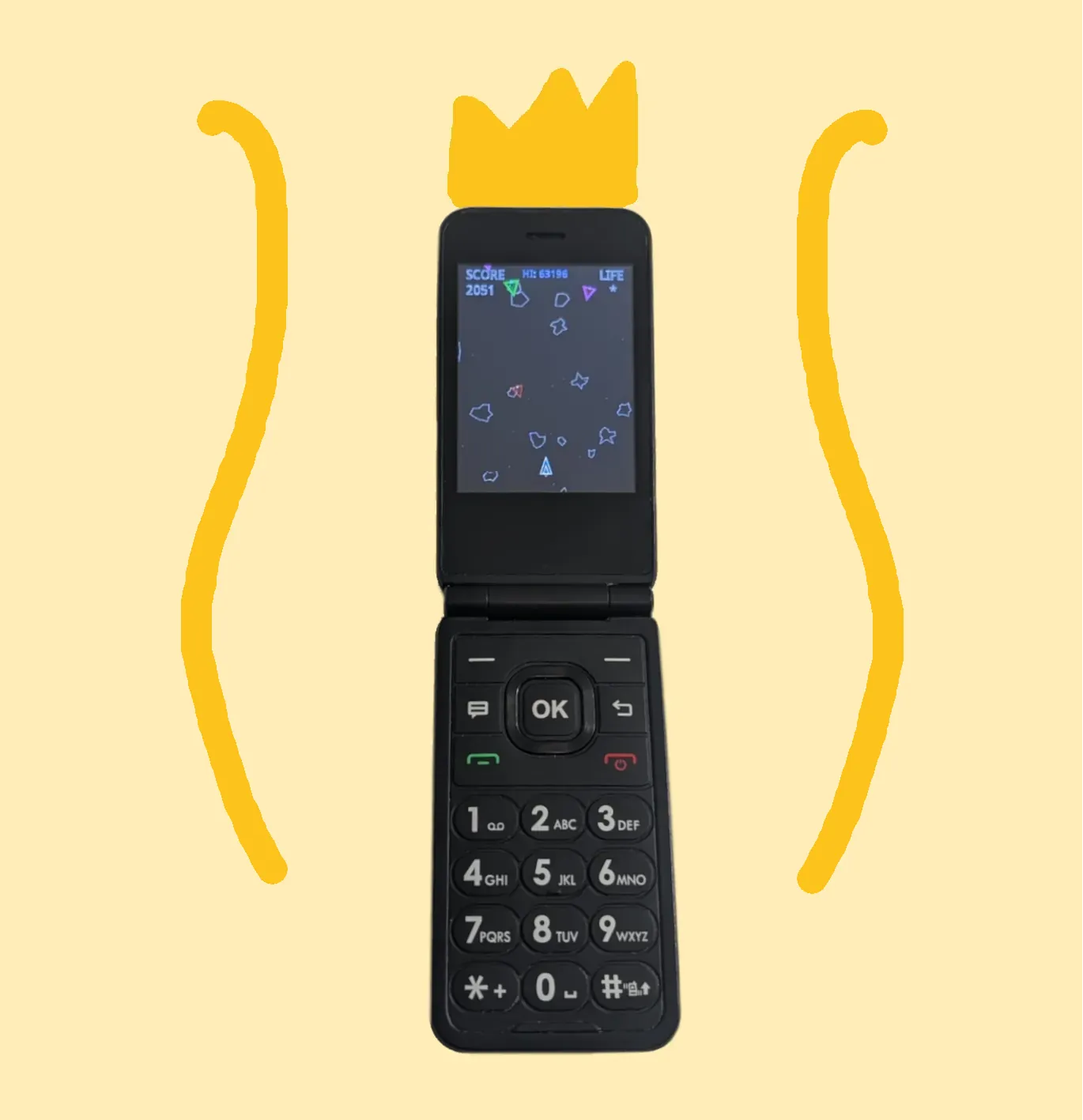
Learn about my personal project to port my Space Scroller game to KaiOS.
View this code on github here. Or try out the web version here.
Overview
A friend of mine had recently switched from a smartphone to a flip phone to cut back on screen time, which is how I first learned about KaiOS, the operating system that powers many modern flip phones. What caught my attention was that KaiOS apps are built with standard HTML and JavaScript, the same technologies my Space Scroller game was already written in, and I wanted to see if I could get it running on actual hardware with minimal effort.
Getting It on the Device
The AT&T Cingular Flip IV runs KaiOS and is cheap and easy to source. To install apps outside of the official KaiOS Store I had to enable developer mode and root the device, then use Mozilla's WebIDE to sideload the app. The original game already used a bundled p5.js v1.4.0 minified file for its graphics, which worked without modification on the device's runtime. I also had to do some optimization to get the game running smoothly on the more limited hardware.
Rotating the Game World
The original game is a side-scrolling shooter designed for a landscape screen, but the flip phone's display is portrait. I rotated the entire game world 90 degrees so that enemies scroll downward from the top of the screen and the player's ship sits at the bottom. This took some effort to implement correctly, but it was worth it. The portrait orientation gives the player more distance between themselves and the oncoming obstacles, making the game noticeably more enjoyable on the smaller screen.
Adapting the Controls
KaiOS devices don't have a mouse or touchscreen, so I had to remap all inputs to the D-pad, keypad buttons, and center D-pad button. One challenge was replicating the mouse-driven movement from the original game. I solved this by simulating a mouse point on the opposite side of the screen from the pressed direction. The longer a direction is held, the more the ship's speed accumulates and its rotation increases, closely matching how the original controls feel.
Overheating
To prevent players from simply holding down the fire button, I added an overheating mechanic. Firing continuously builds up heat, and once the weapon overheats it locks out until it cools down. This adds a layer of resource management to the combat and makes engagements more deliberate.
Auto-Pause on Focus Loss
The game automatically pauses whenever it loses focus. On a flip phone this is especially useful since closing the phone or switching away from the app suspends the game rather than leaving it running unattended. Resuming is as simple as returning to the app and pressing a button.
Menu Screen
I added a simple menu screen to give the game a proper entry point on the hardware. It displays the key bindings so players know how to control the ship, and prompts them to press a button to start. This was a small but important addition to make the experience feel complete.
What I Learned
This project showed me that standard web technologies can reach platforms far beyond the browser. Even a relatively straightforward port introduced meaningful challenges: rotating a game world, adapting input from mouse to hardware buttons, adding new mechanics, and optimizing for more limited hardware, all of which expanded my understanding of cross-platform development.
Try it
Since KaiOS apps are built in HTML and Javascript, I can easily implement it here so you can try it out. Use the arrow keys to move the ship, 5 for shield, and space to fire:
Compare it to the original game I started with here.